Turn Your Golf Course Map Into an Interactive Digital Experience
Help golfers explore every hole, compare tee yardages, understand hazards, watch animated shot routes and continue directly to your tee-time booking page—all from one responsive course map.
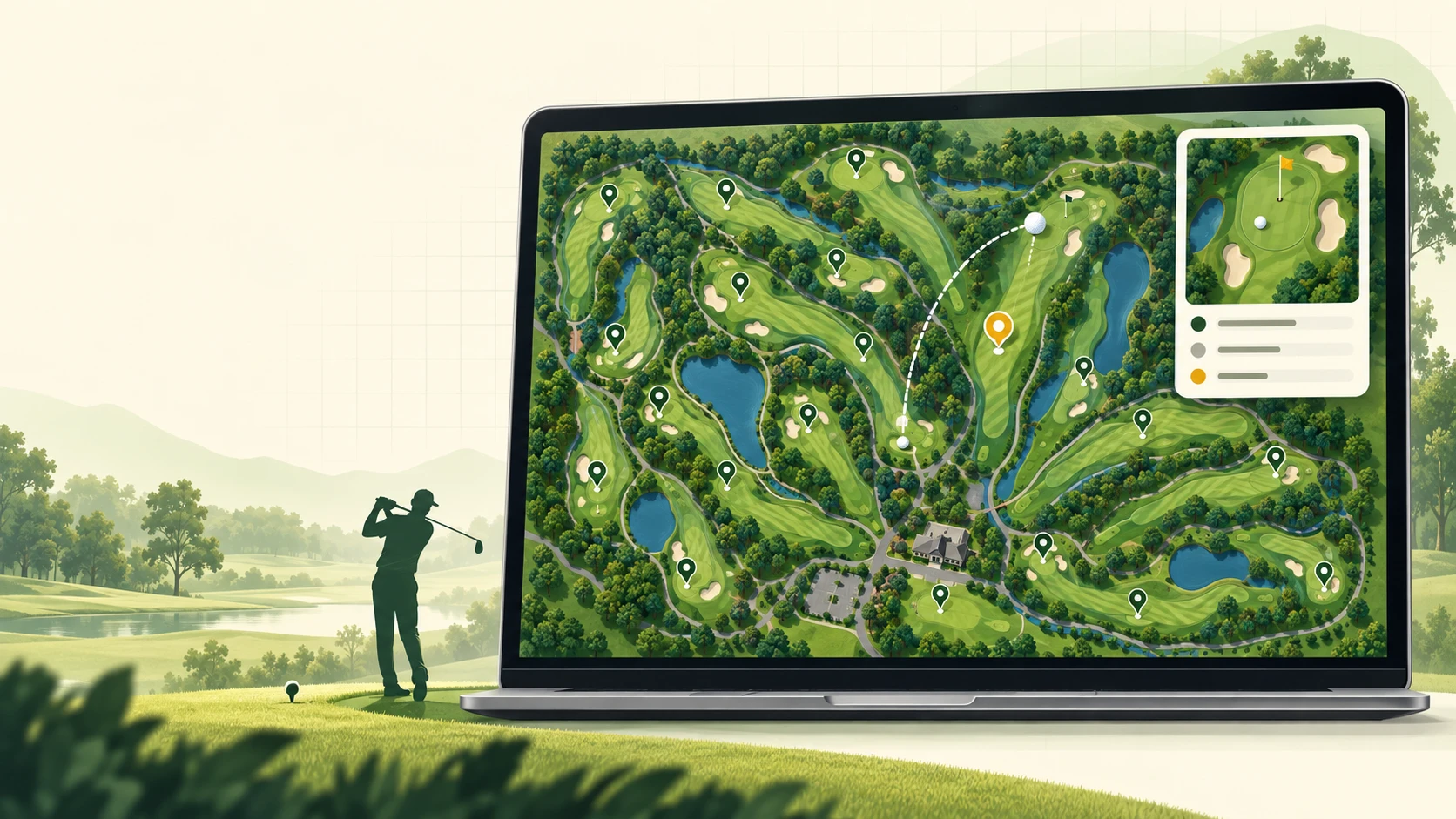
A traditional golf course map is useful for orientation, but it usually cannot answer the questions golfers ask before booking or playing. Which tee should I choose? Where is the water carry? What does the approach look like? Is there a safe layup area? Can I watch a flyover? Where is the clubhouse or practice range?
Our interactive golf course map design service turns your existing layout, aerial reference, architect plan or course artwork into a custom digital experience for your website. Each hole can become a clickable guide with its own information, animation and call to action. The result is useful before the round, easy to explore on mobile and designed to support your course’s branding and booking journey.
What Golfers Can Do With the Map
Explore Every Hole
Golfers can select a numbered hole from the course map or navigation rail and instantly see its name, par, yardage, stroke index and playing description.
Watch the Shot Route
A cinematic camera movement focuses on the selected hole while a golfer animation, moving ball, route trace and live yard counter show the direction from tee to green.
Compare Tee Yardages
Black, white, red or custom tee options can display different distances so players can understand the hole from their preferred tee position.
Review Hazards and Facilities
Water carries, bunkers, layup zones, clubhouses, parking, practice areas, restaurants and other useful locations can open tooltips or direct links.
View Photos and Flyovers
Optional tee-box, fairway and green photographs can appear in the hole card, while a flyover video can open in a responsive on-page modal.
Continue to Booking
Hole cards, facility cards and map markers can include custom buttons that connect visitors with your booking engine, membership page or course information.
Why a Golf Course Needs More Than a Static Map
A static course image gives visitors a general overview. An interactive golf map gives them context. It connects each location on the artwork with useful information and creates a clearer path from discovery to action.
| Experience | Static Course Map | Interactive Golf Course Map |
|---|---|---|
| Hole information | Limited labels | Par, yardage, index, tees and playing notes |
| Mobile use | Often requires pinching a large image or PDF | Responsive controls, touch navigation and focused hole views |
| Course strategy | Players interpret the image alone | Animated routes, hazards, landing areas and optional guidance |
| Media | Usually separate from the map | Hole photographs and flyover video can be opened in context |
| Booking path | No direct action | Custom buttons can connect to tee times or course pages |
| Brand presentation | One fixed visual | Custom colors, typography, icons, UI and course branding |
Designed for the Full Golf Customer Journey
Before booking
Prospective players can understand the character of the course, browse signature holes and see whether the layout matches the experience they want. A well-placed booking button lets them move from interest to tee-time selection without searching through multiple pages.
Before the round
Golfers can review hole order, tee distances, facilities and course features from a phone or desktop. This gives them a visual introduction before arrival and can help them prepare questions, choose tees and find important facilities.
During the visit
The map can serve as a lightweight mobile course guide. It is not a replacement for certified GPS measurement or an official tournament yardage book, but it can provide a clear visual reference, approved distances and convenient facility navigation.
After discovery
Visitors can move from the map to your tee-time system, membership information, restaurant page, event page or contact form. This makes the map part of your website’s conversion path instead of an isolated image.
What Is Included in Our Interactive Golf Map Service?
- Custom 9-hole, 12-hole or 18-hole golf course map configurations
- Professional vector-style course artwork created from client-approved references
- Clickable hole areas and numbered hole markers
- Hole names, par, total yardage, stroke index and multiple tee distances
- Cinematic hole focus with golfer swing and ball-flight animation
- Animated route line and live yard counter
- Hazard, layup and facility markers with configurable tooltips
- Optional tee-box, fairway and green photo gallery
- Optional on-page flyover video modal
- Custom booking, details or facility links
- Mouse, touch, drag, zoom and fullscreen controls
- Responsive desktop, tablet and mobile layouts
- Brand colors, fonts, icon styles and interface customization
- Website-ready HTML/SVG integration
The feature set can be adjusted to match the course. A private club may emphasize hole strategy and member information, while a public course or resort may prioritize tee-time booking, stay-and-play packages, facilities and visitor orientation.
How We Create Your Custom Golf Course Map
- Collect the course referencesYou provide an existing map, aerial image, scorecard, hole information, yardages, branding, booking links and any approved photos or videos.
- Design the course artworkWe create or prepare a clean course layout with recognizable fairways, greens, tee areas, bunkers, water, trees, cart paths and facilities.
- Build the interactive SVG structureEach hole, badge, route, facility and marker receives a stable ID so the interface can connect the artwork with the correct content and animation.
- Add content and controlsWe configure hole data, tee yardages, descriptions, buttons, media, tooltips, navigation, zoom behavior and responsive detail cards.
- Test the complete experienceThe map is reviewed across major desktop and mobile browsers. We verify clicks, touch gestures, route directions, cards, links, media and cinematic sequences.
- Deliver or integrateYou receive the agreed website files, or the interactive map can be integrated into the appropriate page of your site.
Who Is This Service For?
This service is suitable for golf businesses that want a more visual and engaging course presentation, including:
- Public and municipal golf courses
- Private golf clubs
- Golf resorts and stay-and-play destinations
- Golf course management companies
- Golf academies and practice facilities
- Real-estate communities built around golf
- Tournament and event websites
- Golf course architects and marketing agencies
What We Need From Your Golf Course
Accurate source information makes the finished map more useful. Ideally, the course should provide:
- A current course map, aerial reference or approved site plan
- Hole order, par and stroke index
- Approved yardages for every tee
- Facility names and locations
- Hazard or strategy information you want displayed
- Official booking and information URLs
- Logo, brand colors and typography guidelines
- Licensed photographs and video links when media is included
All displayed yardages and course facts should be supplied or approved by the course. This protects accuracy and ensures golfers see information consistent with the official scorecard and course operations.
Interactive Golf Course Map FAQ
Can you create an interactive map for a 9-hole, 12-hole or 18-hole course?
Yes. The map navigation and course data are generated from the available holes, so the interface can support different course sizes without showing empty hole positions.
Can you use our existing golf course map?
Yes, if you own or have permission to use the artwork. We can prepare an interactive overlay or rebuild the map as clean vector-style artwork, depending on the quality of the existing file and the project scope.
Will the map work on phones and tablets?
Yes. The interface is designed for responsive use with touch navigation, drag and zoom controls, mobile-friendly hole navigation, readable yard counters and full-screen detail or video views where appropriate.
Can every hole have different photos and a flyover video?
Yes. Each hole can use its own tee-box, fairway and green photographs, plus an optional flyover video. Photos and videos can also be disabled individually when media is unavailable.
Can golfers book a tee time from the map?
Yes. Buttons can link to your existing tee-time platform or booking page. The interactive map does not need to replace your booking engine; it can guide interested visitors directly to it.
Can the map show the clubhouse, practice range and other facilities?
Yes. Facilities can be added as clickable locations with short descriptions, action buttons or direct links. Common examples include the clubhouse, pro shop, restaurant, parking, driving range, putting green and halfway house.
Is an interactive golf map the same as a GPS yardage system?
No. It is a branded visual course guide and website experience. It can display course-approved yardages and useful planning information, but it should not be presented as certified live GPS measurement unless a separate GPS system is specifically integrated and validated.
Can the design match our golf club branding?
Yes. The map interface can be customized with your logo, colors, typography, marker style, button style and content tone so it feels like a native part of your website.
Ready to Make Your Golf Course Interactive?
Send your existing course map or aerial reference. We can review the layout, recommend the right feature set and prepare a custom interactive golf map plan for your website.
Related services: Explore our interactive map service, review additional website and map services, or visit the pricing page to understand available project options.